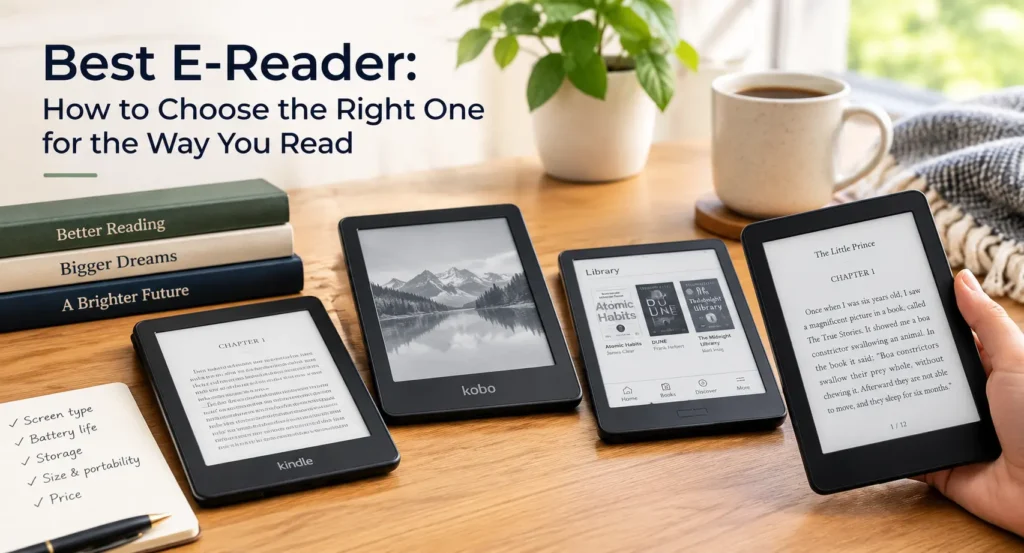
If you read a lot, a good e-reader is one of the most satisfying gadgets you can own. It’s light, easy on the eyes, lasts for weeks on a charge and puts a whole library in your bag. The tricky part is choosing, because the market is dominated by a few brands and the differences between them aren’t always obvious.
Here’s a practical guide to the best e-readers right now, and how to decide which one suits you.
Why An E-Reader And Not A Tablet?
It’s a fair question. Phones and tablets can display books too. The difference is the screen.
E-readers use e-ink displays that look like printed paper. They reflect light instead of shining it into your eyes, so they’re comfortable to read for hours, even in bright sunlight. Battery life is measured in weeks, not hours, and with no notifications or apps competing for attention, you tend to read more.
If you want one device that does everything, a tablet makes sense. If you want to read, an e-reader is hard to beat.
The Main Contenders
Most of the best options come from two companies: Amazon’s Kindle and Rakuten’s Kobo, with Boox as an interesting third choice.
Kindle Paperwhite. This is the pick that most reviewers return to. It has a sharp, glare-free screen, an adjustable light, a waterproof body and a fast, polished interface. It’s the best all-rounder if you want something that simply works.
Kindle (the standard model). The budget choice. It’s smaller and simpler than the Paperwhite, but it gives you access to the same huge Kindle store and works well for casual readers. If price is your main concern, this is the place to start.
Kobo Clara BW and Clara Colour. Kobo’s mid-range options are a strong alternative to a Kindle. The Clara BW is a clean, no-frills reader with a black-and-white screen, while the Clara Colour adds a color display and a faster processor for a modest price increase.Kobo is especially good at supporting open formats and library borrowing.
Kobo Libra Colour. A favorite among reviewers for those who want color.It has physical page-turn buttons, which many people prefer, and it works with a stylus for notes and highlights.
Kindle Colorsoft. Amazon’s first Kindle with a color screen. It suits readers of comics, cookbooks and magazines, though color e-ink is still less sharp than the black-and-white version for plain text.
Kindle Scribe. A larger screen with a pen for handwriting notes. It’s popular with students and professionals who want to read and annotate in one place. It costs noticeably more than regular e-readers, so it’s worth buying only if you’ll use the writing features.
Boox devices. These run Android, which means you can install apps like Kindle, Kobo, Libby and Google Play Books on one device. They’re flexible and powerful, though they’re also more complicated and pricier.
Kindle Or Kobo?
This is the big question, and it mostly comes down to ecosystem.
Choose Kindle if you already buy from Amazon, want the largest book store, like Kindle Unlimited or want smooth switching between ebooks and Audible audiobooks. The experience is polished and easy.
Choose Kobo if you value open formats, borrow a lot from public libraries, or prefer not to be tied to Amazon. Kobo supports EPUB natively and connects directly to OverDrive, which makes library borrowing simple, especially outside the US.
If you already own lots of Kindle books, switching is a hassle. If you’re starting fresh, either brand works well.
Features That Matter
Screen quality. Look for a resolution of around 300 ppi.At that level, text looks crisp and smooth.Glare-free, flush-front designs are easier to read in sunlight.
Front light. An adjustable light, ideally with warm tones, makes night reading comfortable. Many mid-range and premium models include it.
Size. Six to seven inches is the usual size. It’s pocketable and easy to hold with one hand. Larger screens suit PDFs, comics and notes, but they’re heavier.
Waterproofing. Useful if you read in the bath, by the pool or on the beach. It’s a feature worth having on a device you carry everywhere.
Battery life. Most e-readers last several weeks per charge with normal use.Using the front light, color or heavy PDF reading shortens that.
Storage. Eight gigabytes holds thousands of books. You only need more if you store audiobooks or large comics.
Page-turn buttons. Some people love physical buttons, and others prefer swiping. Check which you’d rather have, because it changes how the device feels in your hand.
Audiobook support. Kindle has tight Audible integration. Some Kobo models offer audio features too, so check if that matters to you.
Color Or Black And White?
Color is the biggest buzzword in e-readers right now, but it isn’t automatically better. Color e-ink screens tend to look softer and less contrasty than black-and-white ones, and text can appear slightly less sharp.
If you read mostly novels and nonfiction, black and white is still the best choice.If you read comics, graphic novels, magazines or cookbooks, color adds real value. Many people also like seeing book covers in color on the home screen.
Reading Library Books
Borrowing from your local library is one of the biggest money-savers. Kobo makes this straightforward, with library access built in through OverDrive. On Kindle, library borrowing works mainly in the US, using the Libby app to send books to your device. If libraries are a big part of your reading, check what’s supported in your country before buying.
How Much Should You Spend?
E-readers cover a wide price range.A basic Kindle or Kobo Clara is a sensible entry point and handles the job well. The mid-range, such as the Paperwhite or Kobo Libra, adds comfort and features. Premium devices with color and stylus support cost much more, and they only make sense if you’ll use those extras.
Prices change often, especially around big sale events, so it’s worth watching for discounts.
A Note For Readers In Pakistan
If you’re buying in Pakistan, check whether the device is sold locally and what warranty it carries. Imported units can vary in price and support.Also confirm that the store you plan to use works in your region.Kobo and Kindle availability and library access differ from country to country.
Which One Should You Buy?
A quick guide:
- Best all-rounder: Kindle Paperwhite
- Best budget: the standard Kindle or Kobo Clara BW
- Best for color: Kobo Libra Colour or Kindle Colorsoft
- Best for library borrowing and open formats: Kobo
- Best for notes and annotation: Kindle Scribe
- Best for flexibility and apps: Boox
Final Thoughts
The best e-reader is the one that fits your habits. Think about where you buy your books, how you read and what you’re willing to spend.If you want the easiest experience, a Kindle Paperwhite is hard to beat.If you prefer openness and library access, a Kobo is a great alternative.
Choose a model with a sharp screen and a comfortable size, and you’ll probably read more than you did before. That’s what a good e-reader is really for.