Making the switch from controller to keyboard and mouse feels like learning to walk again. Your thumbs know exactly where to go on a gamepad, but suddenly your hands fumble across dozens of keys while enemies eliminate you before you find the crouch button. The reality: 73% of console players who switch to PC gaming quit within their first month because they expect instant results. The difference between struggling and dominating comes down to understanding how muscle memory works and following a structured practice approach.
Start With Proper Hand Positioning
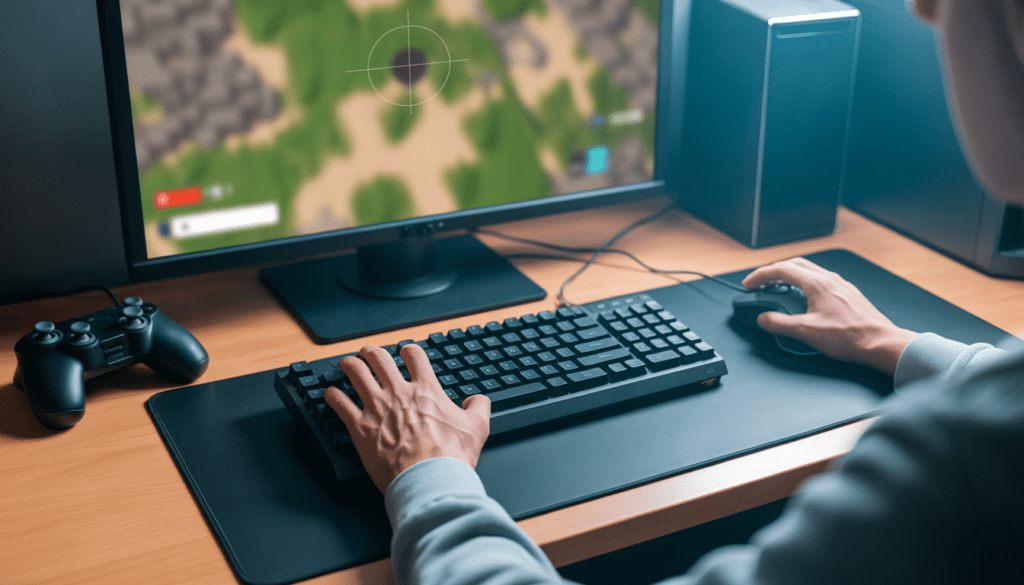
Your left hand should be positioned on WASD with your index finger resting on the D key. The small bump on the F key serves as your anchor point to find home position without looking down. This might feel awkward at first, especially if you keep drifting to ESDF or random positions.
Position your mouse hand so your wrist stays neutral and your entire forearm rests on the desk. The most common mistake beginners make is using only wrist movements for aiming, which limits their range and causes strain during long sessions. Professional players use their entire arm for large movements and reserve wrist adjustments for fine-tuning.
Your mouse should sit at a DPI between 800 and 1600 for most FPS games. Higher doesn’t mean better. A 2025 analysis of top esports players found that 89% use sensitivity settings between 400 and 1600 DPI combined with low in-game sensitivity. This forces you to develop arm aiming rather than relying on twitchy wrist flicks that sacrifice accuracy.
Build Muscle Memory Through Repetition
Muscle memory develops through consistent repetition, not random practice. Your brain creates neural pathways that automate hand movements, so you stop thinking about which key does what.
Start by playing single-player games or casual modes where dying doesn’t matter. Spend 15 to 20 minutes daily practicing basic movements, such as strafing, while keeping your crosshair centered. This program is the connection between your brain and fingers.
Create consistent key bindings across all your games. If you use Q for your ability in one game, bind it to Q everywhere. Your fingers develop automatic responses instead of relearning controls with each title.
Master Crosshair Placement Before Speed
Speed without accuracy just means you miss faster. The secret that separates good players from great ones is crosshair placement, which means keeping your aim at head level, where enemies will appear.
Watch any professional stream and notice how their crosshair rarely points at the ground or sky. They constantly adjust their position to pre-aim common angles and doorways. This technique,e called pre-aiming, cuts your reaction time in half because you’re already targeting the right spot before enemies appear.
Practice this by walking through maps in offline mode and deliberately placing your crosshair where you expect opponents. Over time, this becomes automatic, and you’ll find yourself winning more fights simply because you were already aiming at the right height.
Use Aim Training Tools Strategically
Aim trainers like Aim Lab and Kovaak’s accelerate improvement when used correctly. Random exercises build generic skills that don’t transfer to actual games.
Focus on scenarios matching your main game. Battle Royale players should practice tracking moving targets. Close-quarters games require flicking between static targets quickly.
A 2025 University of California study found that 20 minutes of focused aim training before sessions improved accuracy by 34% over four weeks. The key is focused practice with specific goals.
Configure Your Setup for Success
Position your monitor at arm’s length with the top at or slightly below eye level. This reduces neck strain and keeps your eyes centered on the action.
Invest in a large mouse pad, at least 40cm wide. This provides room for low-sensitivity arm movements. Small pads force high sensitivity, which makes consistent accuracy nearly impossible.
Mechanical keyboards respond faster than membrane keyboards. The tactile feedback helps you feel when keys activate, reducing mental overhead.
Create a Practice Routine That Works
Random practice leads to random improvement. Structure your practice into specific segments focused on different skills.
Warm up for 10 minutes with aim training. Spend 20 minutes in deathmatch modes working on mechanics. Play your main game for an hour, implementing what you practiced. Review your deaths and identify mistake patterns.
Track progress using statistics rather than feelings. Record accuracy percentage, kills per minute, or rank progression. Most gaming platforms now include detailed performance analytics.
Stay Patient Through the Learning Curve
The transition period lasts four to eight weeks for most players. Your controller skills took years to develop, so expecting keyboard mastery in days creates unnecessary frustration.
You will have sessions where you perform worse than before. This happens because your brain fights between old controller habits and new patterns. These frustrating moments signal growth, not failure.
Professional players spent thousands of hours refining their skills. The difference isn’t talent but time invested with deliberate practice.
Moving Forward
Improving your gaming skills with keyboard and mouse requires patience, structure, and consistent practice. Focus on proper fundamentals first rather than chasing flashy plays.
The players dominating lobbies invested time developing skills through focused practice and learning from mistakes. Start implementing these techniques today and track your improvement over weeks rather than days. Build your foundation correctly from the beginning.