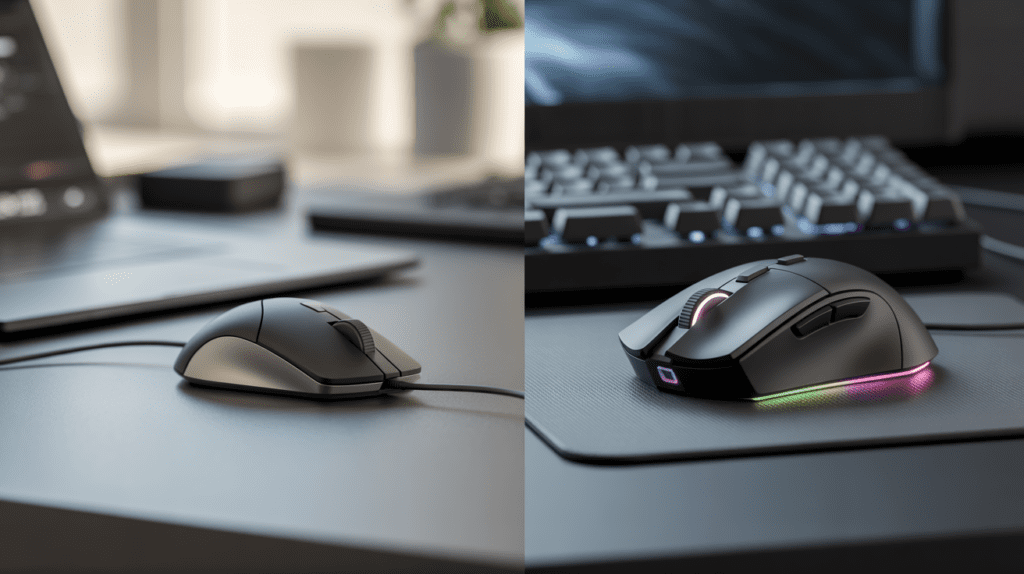
Your mouse connects you to every digital action you take. Yet most people spend more time choosing a phone case than selecting the peripheral they touch thousands of times daily.
The mouse market splits into two distinct categories. Normal mice deliver basic cursor control for everyday computing. Gaming mice offer enhanced precision, speed, and customization for demanding applications.
According to NPD Group market research, Americans purchased 47 million computer mice in 2024, translating to $1.8 billion in annual sales. Statista’s 2024 Gaming Peripherals Report shows the gaming segment alone generates over $900 million yearly, representing more than half of total revenue despite serving fewer users.
This pricing premium exists because gaming mice incorporate specific technical advantages that matter tremendously in certain contexts. This analysis reveals which differences genuinely matter for your needs.
What Is a Normal Mouse?

Normal mice provide basic cursor control and clicking functionality for everyday computing tasks. These peripherals prioritize affordability and simplicity, making them the default choice for offices, schools, and casual home users.
The typical normal mouse uses a basic optical sensor tracking at 100-150 inches per second, 800-1600 fixed DPI, and 125-250 Hz polling rate per USB Implementers Forum standards. These specifications handle web browsing, document editing, and email without issues.
Major manufacturers like Logitech, Microsoft, and HP produce millions annually, with retail prices from $8 to $40. The lower price reflects simpler components: generic sensors, switches rated for 3-10 million clicks, and basic materials.
Common Uses of a Normal Mouse
Normal mice excel in productivity environments. Office workers use them for spreadsheets, documents, and presentations. Students rely on them for research and paper writing. Home users find them adequate for web browsing, social media, and video streaming.
Financial professionals, writers, and administrative staff represent the core demographic. Their computing tasks emphasize reliability over cutting-edge performance.
Key Features of a Normal Mouse
Normal mice include two primary buttons, one scroll wheel, and occasionally two side buttons. The sensor uses basic optical technology. Connection options are split between wired USB and wireless 2.4 GHz dongles.
Wireless models use AA/AAA batteries lasting 6-12 months. Physical design favors ambidextrous shapes for broad compatibility. Weight typically falls between 90-130 grams. Build materials consist of standard ABS plastic.
Related Post: AMD Ryzen 5 VS. Intel i5
Pros and Cons of a Normal Mouse
| Pros | Cons |
| Affordability starting at $8-12 | Limited durability with switches developing issues within 8-16 months |
| Universal compatibility without drivers | Fixed sensitivity settings |
| Battery life of 6-12 months (wireless) | Basic sensors struggle with fast movements |
| Simple design with fewer failure points | Generic ergonomics cause extended-use discomfort |
| Immediate plug-and-play functionality | No customization or programmable features |
What Is a Gaming Mouse?
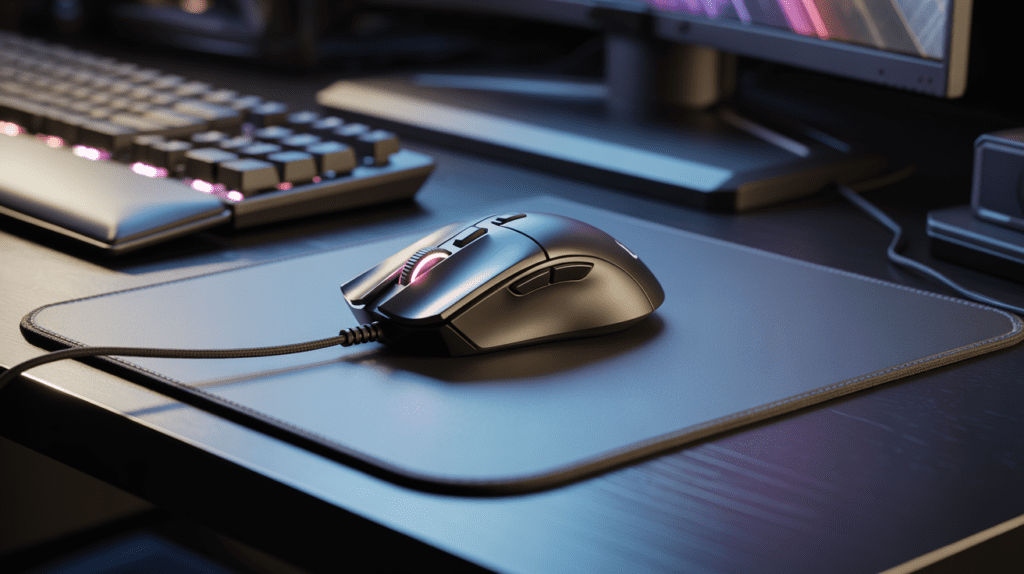
Gaming mice represent performance-oriented peripherals engineered for precision and speed. These devices incorporate premium sensors, mechanical switches, and programmable buttons designed to eliminate hardware bottlenecks.
Modern gaming mice use flagship PixArt sensors like the PAW3370 or PAW3395, tracking at 400-650 inches per second according to manufacturer datasheets. Adjustable DPI ranges from 400 to 30,000. Polling rates reach 1000-8000 Hz.
Major brands, including Logitech G, Razer, SteelSeries, and Corsair, offer products from $30 budget models to $150+ flagships. The premium reflects superior components: high-end sensors, switches rated for 50-80 million clicks per Omron and Kailh specifications, and specialized materials.
Purpose of a Gaming Mouse
Gaming mice eliminate hardware limitations in competitive scenarios. First-person shooters demand pixel-perfect tracking. MOBAs require rapid target acquisition. Real-time strategy games benefit from programmable macros.
Professional esports athletes rely on gaming mice as essential equipment. Beyond gaming, creative professionals use features for enhanced workflows. Video editors program timeline controls. 3D artists map camera movements.
Key Features of a Gaming Mouse
Premium sensors maintain accuracy during rapid movements. Adjustable DPI allows on-the-fly sensitivity switching. Polling rates of 1000+ Hz reduce input lag to imperceptible levels.
Programmable buttons (5-12 total) enable complex macros. Software allows profile creation for different applications. Cloud sync maintains settings across computers. Build quality emphasizes longevity with premium switches, PTFE feet, and braided cables.
Weight ranges from 55-110 grams. Ergonomic shapes optimize for palm, claw, or fingertip grip styles. RGB lighting provides aesthetic customization.
Pros and Cons of a Gaming Mouse
| Pros | Cons |
| Superior precision and responsiveness | Higher cost ($30-150+) |
| Durability lasting 3-5 years with heavy use | Complex software requirements |
| Customization flexibility for specific tasks | Wireless models need frequent charging (40-80 hours) |
| Ergonomic designs reduce wrist discomfort by 35-50% | Gaming aesthetics may appear unprofessional in offices |
| Programmable buttons enhance productivity | Requires setup time and learning curve |
Gaming Mouse vs Normal Mouse: Detailed Comparison
DPI and Sensitivity Differences
Normal mice lock users into 800-1600 DPI. Gaming mice offer 400-30,000 adjustable DPI. ProSettings.net analysis of 347 professional players shows most use 800-1600 DPI for competitive play, with adjustability providing the real advantage.
For productivity, adjustable DPI enables different sensitivities for different tasks. Video editors switch between 3200 DPI for navigation and 800 DPI for precision work.
Sensor Accuracy and Tracking
Normal mice use basic sensors tracking at 100-150 IPS with prediction algorithms. Gaming mice employ PixArt sensors tracking at 400-650 IPS with 1:1 movement translation. The difference matters for fast cursor movements and precision work.
Polling Rate and Response Time
Normal mice poll at 125-250 Hz per USB standards. Gaming mice poll at 1000-8000 Hz. Combined with switch response, gaming mice achieve 2-5ms total latency versus 10-18ms for normal mice.
University of California research confirms average human reaction time measures 200-250ms. In competitive gaming, that 10ms hardware advantage matters when opponents have similar skills.
Buttons and Customization Options
Normal mice offer 2-5 fixed buttons. Gaming mice provide 5-12 programmable buttons with comprehensive software for macro creation. Video editors, 3D modelers, and office workers benefit from custom shortcuts mapped to buttons.
Ergonomics and Comfort
Normal mice use one-size-fits-all ambidextrous designs. Gaming mice offer specific shapes for different grip styles and hand sizes. Research demonstrates that properly designed peripherals reduce musculoskeletal discomfort by 35-50% according to Cornell University’s Human Factors and Ergonomics Research Group.
Ultra-light gaming mice (55-70g) require less muscle activation than heavier normal mice (90-130g) during extended sessions.
Build Quality and Durability
Normal mice use switches rated for 3-10 million clicks, developing double-click issues within 8-16 months. Gaming mice incorporate Omron, Kailh, or Huano switches rated for 50-80 million clicks per manufacturer specifications.
Cost-per-year analysis: $50 gaming mouse lasting 4 years costs $12.50 annually. $20 normal mouse replacement every 18 months costs $13.33 annually.
Design and RGB Lighting
Normal mice emphasize neutral aesthetics for offices. Gaming mice feature RGB lighting with millions of color combinations. Professional gaming lines offer subdued designs without RGB for workplace use.
Price Comparison
Normal mice: $8-40 (most $15-25). Gaming mice: $30-150 across three tiers. Budget gaming mice ($30-50) deliver core advantages. Mid-range ($60-90) add wireless and premium materials. Flagship ($100-150+) focuses on ultra-light construction and brand prestige.
Which Mouse Is Better for Gaming?
Gaming mice provide objectively superior performance through faster response times, better tracking, and customization. Budget gaming mice around $40 deliver all core advantages. Spending beyond $60-80 provides diminishing returns for most gamers.
Even casual gaming benefits from better tracking and durability. Normal mice technically function for turn-based games but lack the precision for competitive play.
Is a Gaming Mouse Worth It for Office or Daily Use?
Gaming mice deliver tangible benefits for office use through ergonomics, programmability, and durability. Workers spending 6+ hours daily benefit from better shapes, reducing strain.
Programmable buttons optimize workflows. Map copy/paste, application switching, or shortcuts to buttons. Creative professionals see clear value in timeline controls, tool switching, and camera adjustments.
Durability justifies investment: gaming mice lasting 3-5 years cost less annually than replacing normal mice every 18 months. Light users (1-2 hours daily) see minimal benefit, making normal mice more cost-effective.
Who Should Buy a Normal Mouse?
Light users spend under 3 hours daily on basic tasks. Budget-conscious consumers when $30-50 represents significant expense. Educational institutions are deploying hundreds of peripherals. Elderly users prefer plug-and-play simplicity. Secondary computers are used occasionally.
Gaming Mouse vs Normal Mouse: Quick Comparison Table
| Feature | Gaming Mouse | Normal Mouse |
| DPI Range | 400-30,000 (adjustable) | 800-1,600 (fixed) |
| Polling Rate | 1000-8000 Hz | 125-250 Hz |
| Click Latency | 1-3 ms | 8-15 ms |
| Button Durability | 50-80 million clicks | 3-10 million clicks |
| Programmable Buttons | 5-12 buttons | 2-5 buttons |
| Weight | 55-110g | 90-130g |
| Battery Life | 40-80 hours | 6-12 months |
| Price | $30-150 | $8-40 |
| Lifespan | 3-5 years | 1-2 years |
| Best For | Gaming, creative work | Basic tasks, budget |
Final Verdict
Choose gaming mice for: Competitive gaming, 10+ hours weekly. Creative work with Adobe/CAD/3D software. Daily computer use is 6+ hours. Ergonomic needs to prevent strain.
Choose normal mice for: Light use under 3 hours daily. Tight budgets. Plug-and-play simplicity. Secondary computers.
Budget gaming mice ($30-40) offer a low-risk entry, costing only $10-15 more than mid-range normal mice while delivering core technical advantages.
The environmental perspective: One gaming mouse lasting five years generates less waste than three normal mice. From a sustainability standpoint, durability favors gaming mice.
Choose based on actual usage patterns, not aspirational scenarios. Both categories deliver value when properly matched to your needs.